
Creating BOOM cards to sell on Teachers Pay Teachers and the BOOM Learning website is a great way to earn some extra income. You can even use the Boom cards that you create in your own classroom.
Why Use Digital Task Cards in the Classroom?
Digital task cards are great in the classroom because they are interactive, self-correcting and can track student data. Teachers, you can save valuable time by not having to grade student work with the self-correcting features with Boom cards. Students love that they receive immediate feedback which means they can learn from their mistakes. They also love how interactive and fun they can be.
With more and more schools using digital and/or hybrid resources it’s also a great way to reach ALL your students when they’re in person or remote learning.
There are so many reasons that Boom cards can be helpful to you and your students. Check out the blog post 6 Reasons to Use Boom Cards in Your Classroom for other reasons that teachers and students love Boom cards.
If I Create Boom Cards, How Can I Sell Them?
If you want to try selling Boom cards, you can actually sell them two different places right now. First, you can sell them on the Boom Learning website. The second place to sell them is on Teachers Pay Teachers (TpT). With 2 sources of income, it’s a great investment of your time.
How Do I Create Them?
I use these 7 easy steps for creating Boom cards to sell on Teachers Pay Teachers.
Step 1 – Planning your Boom Cards on Paper
This is something that’s easy to skip but planning your Boom cards on paper beforehand can save you a lot of time later on. Because Boom cards are interactive, it helps to plan out the design, questions, and answers on paper. For example, if your questions are multiple choice with 4 answers to choose from, it’s helpful to write out all 4 answer beforehand.
Step 2 – Creating PowerPoint Slides & Uploading to Boom
When setting up Boom Cards for PowerPoint, you’ll need to have a specific size for your slide (7 inches wide by 5 inches high). After you’ve created your Boom cards in PowerPoint you will also need to save each of the slides as an image file. These images will become the background for the the new Boom cards on the Boom Learning website. After you’ve created your image files in PowerPoint you can then upload them to Boom Learning where you can set them as the background images for your Boom cards.
Step 3 – Creating Answers
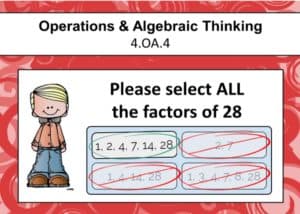
After you have the background images in place on your Boom cards, you need to add the interactive answers for students to select. This is where the magic happens. There are so many options for Boom cards including multiple choice with text, multiple choice with images, fill in the blank, click the correct answer, and drag and drop. Making your Boom cards interactive is what students really love.
You’ll also assign correct and incorrect answers so the Boom cards will be self grading. This is great for students because they keep selecting until they find the correct answer. The immediate feedback helps them learn from their mistakes. It’s also helpful for teachers because they don’t have to do the grading.
Step 4 – Previewing the Boom Cards & Creating Covers
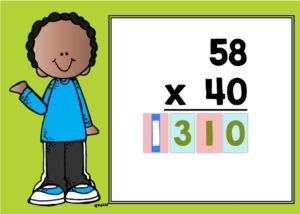
It’s helpful to preview all the Boom cards a couple times just to make sure everything is correct. Having a friend of colleague test the cards is also a great idea. During the preview you can also grab screenshots of the Boom cards to use for your marketing.
Both TpT and Boom Learning feature square covers for product listing. These covers will look similar but the TpT cover needs to say “hosted on Boom Learning” and I also like to add that they are digital task cards.
Step 5 – Completing the Details & Publishing
There are a few details you need to complete on the Boom Learning website including information about the grade level, keywords, subject, and a brief description of the Boom Cards. The details also have the unique links for the preview and product download that you will need to include in your product file that teachers download on TpT. At this point, you can also publish your Boom cards on the Boom Learning site.
Step 6 – Creating Teacher Notes for TpT Listing
Since you can’t actually have the Boom cards as a download for TpT, you need to create a file that explains how the teacher can access the Boom cards on Boom Learning. This is what I call the Teacher Notes. In this pdf file you can include a link to the product on Boom Learning as well as instructions on how to use the Boom cards with students.
Step 7 – Listing Your Boom Cards on TpT
If you’re an established TpT seller, you’ve already completed these steps before. It includes creating the preview file, creating thumbnail images, and creating the product description. When you have all these completed then you’re all set to publish your Boom cards on TpT.
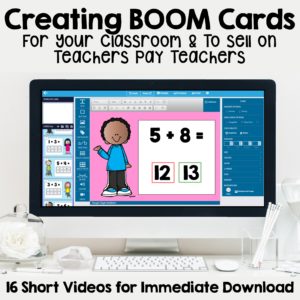
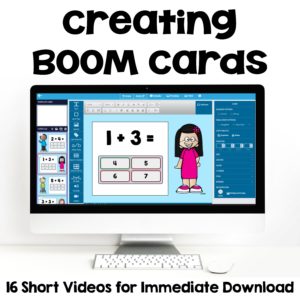
If this seems overwhelming to you (I know it was for me at first) then check out my TpT course on Making and Creating Boom Cards Digital Task Cards to Sell on Teachers Pay Teachers.
This course features 16 videos and 6 supporting documents that are available for immediate download. They provide step by step instructions to help you navigate the whole process easily. After this course you’ll be able to create your first set of Boom cards in no time at all.
Here’s what one teacher said about the course:
“This is a fabulous resource! All the information is provided in easy to follow videos that are labeled by skill so you can go back and review a specific area whenever you want to. The narration is very clear and easy to follow. She walks you through the whole process from coming up with an idea all the way to publishing the cards and listing them on TpT. This resource is a must if you want to make Boom Cards.”
Creating Boom cards can be so much fun! I wish you all the best in your future Boom cards creation!