
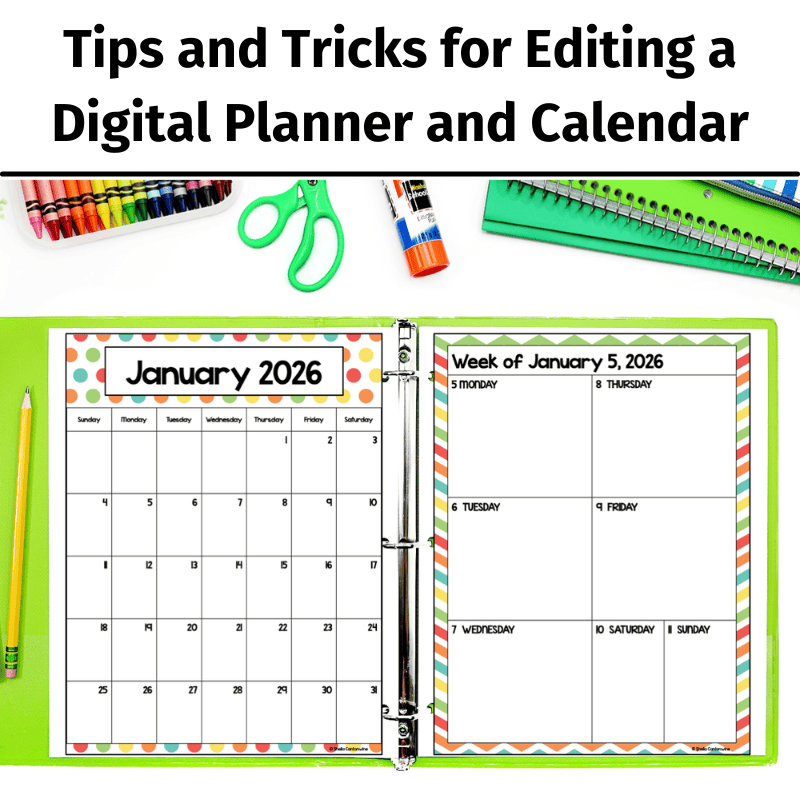
Welcome to our blog post, where we dive into the world of digital calendars and planners and share valuable tips and tricks on how to edit them. Whether you’re a teacher looking to enhance your classroom organization or someone who wants to optimize their scheduling system, we’ve got you covered. In this engaging video, we’ll walk you through everything from mastering PowerPoint to seamlessly uploading and customizing digital planners on Google Slides. Get ready to unlock the full potential of your digital organization tools! I hope you enjoy these tips and tricks for editing a digital calendar and planner.
If you’re interested in the calendar and planner featured in this video: Check it out in my Teachers Pay Teachers store.
Here are some key parts of the video in case you want to skip around:
1:56 – Uploading Files to Google Drive
3:57 – Using the Calendar in PowerPoint
5:05 – Inserting and Editing Text for All Seven Layouts
17:53 – Holidays
18:22 – Printing
20:40 – Changing the Margins to Accommodate for Hole Punches
23:39 – Binder Covers and Matching Spine Labels
26:51 – Attendance and Grading
37:40 – Curriculum Maps
39:24 – Other Helpful Forms
Why should I use a digital planner in my classroom?
Digital planners and calendars have become indispensable tools for teachers seeking to streamline their classroom management and organization. With digital planners, educators now have the power to revolutionize their planning process, which creates a more efficient learning environment.
One of the key advantages of using digital planners and calendars in the classroom is the ability to access and update them from anywhere, at any time. Whether you’re at school, at home, or on the go, your digital planner is just a few clicks away. This allows you to stay on top of your teaching responsibilities effortlessly.
Another significant benefit of digital planners and calendars is the ease of customization they offer. With a few simple clicks or taps, you can personalize your planner to suit your unique teaching style and preferences. From color-coding different subjects and activities to setting up reminders and notifications, the flexibility of digital tools empowers you to design a calendar that works best for you and your students.
Moreover, digital planners and calendars foster collaboration and communication within the classroom. You can easily share your calendars with students, parents, and colleagues, ensuring everyone stays informed about upcoming assignments, assessments, and events. This promotes transparency, encourages engagement, and helps build a strong sense of community within the educational ecosystem.
In conclusion, incorporating digital planners and calendars into your classroom routine can be a game-changer for educators. The convenience, customization options, and collaborative features make them invaluable tools for organizing your teaching life and enhancing the learning experience for your students. So why not embrace the digital revolution and take your classroom management to new heights?
You might also be interested in 3 Ways to Plan Lessons with Digital Planners.